A simple timer application built in Zig that uses Linux signal interrupts to show the remaining time in the terminal and notify the user once the timer ends.
Backstory:
I use timers to take breaks in between long reading and coding activities. Typically, for every 45 minutes of focused activity, I take a 10 to 15 minute break and use a timer app on my mobile to alert me for breaks. There's one problem: I have to switch my gaze to my mobile and move my hands from the keyboard to the mobile to check the remaining time before the timer ends.
Then I decided to build an alarm application in Zig that would simply run in my terminal and notify me with a pop-up and alarm bell when the timer has ended.
Requirements and Design:
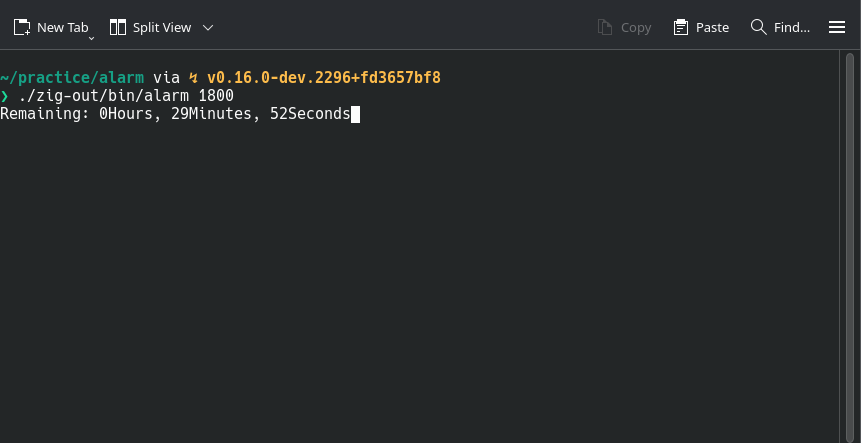
My requirements were that the application should show the remaining time in HOURS:MINUTES:SECONDS format, pop up a notification, and ring the alarm bell once the timer ends.
I always wanted to experiment with signal interrupts in my applications and planned to use them in this timer application for learning and fun.
There is a main thread that accepts a value for the timer in seconds and sleeps for that many seconds before notifying that the timer has ended. To show the remaining time in the terminal, which keeps updating every half second, the main thread takes help from a child thread that notifies it through a signal interrupt every half second to print the remaining time to the terminal.
Implementation:
Accepting Timer Value:
The application will accept the timer value in seconds and parse it to an i64 numeric datatype. Later, the parsed value is converted to a timespec struct that will be passed as an argument to nanosleep, an interruptible sleep function.
const in_secs = args.next().?;
const timer_secs = try std.fmt.parseInt(i64, in_secs, 10);
var timer_spec: std.os.linux.timespec = .{ .sec = timer_secs, .nsec = 0 };
Main Thread Interrupter:
The main thread cannot display the remaining time if it sleeps indefinitely until the timer ends. Therefore, a child thread will interrupt every half second for the main thread to print the remaining time and resume the timer. pthread_kill is used to send the interrupt signal SIGUSR1.
// Called in main thread
_ = try std.Thread.spawn(.{}, remaining_time, .{ init, current_thread });

// Runs in child thread
const progress_check: std.os.linux.timespec = .{ .sec = 0, .nsec = @divExact(std.time.ns_per_s, 2) };
fn remaining_time(_: std.process.Init, parent_thread: c.pthread_t) !void {
    while (true) {
        if (std.os.linux.nanosleep(&progress_check, null) != 0) {
            std.os.linux.exit(1);
        }
        _ = c.pthread_kill(parent_thread, c.SIGUSR1);
    }
}
Main Thread Resume:
After the child thread interrupts, nanosleep in the main thread returns non-zero, indicating to the main thread to log the remaining time. Once the remaining time is logged, the main thread is resumed by calling nanosleep with the remaining time. When nanosleep exits without any interrupt (i.e., by returning zero), the timer application ends with an alarm bell and notification.
while (true) {
    if (std.os.linux.nanosleep(&timer_spec, rem_timer_spec) != 0) {
        timer_spec = rem_timer_spec.*;
        const rem_time = TimeDelta.from_timespec(timer_spec);
        _ = try writer.write("\x1b\x5b\x32\x4b\r");
        _ = try writer.print("Remaining: {d}Hours, {d}Minutes, {d}Seconds", .{ rem_time.hours, rem_time.minutes, rem_time.seconds });
        try writer.flush();
    } else {
        _ = try writer.print("\nBeep{s}\n", .{&[_]u8{7}});
        try writer.flush();
        break;
    }
}